IIS application pool identity and NTFS permissions: least privilege that works
Use ApplicationPoolIdentity, grant only the NTFS rights the site needs, and tune app-pool settings without breaking the app or widening access.
- Build
- 26100.33650
- Edition
- Standard / Datacenter
- Architecture
- x64
- Support
- Documentation (E1)
- Evidence
- E1Official documentation
- Verified
- 2026-10-29
- Test machine
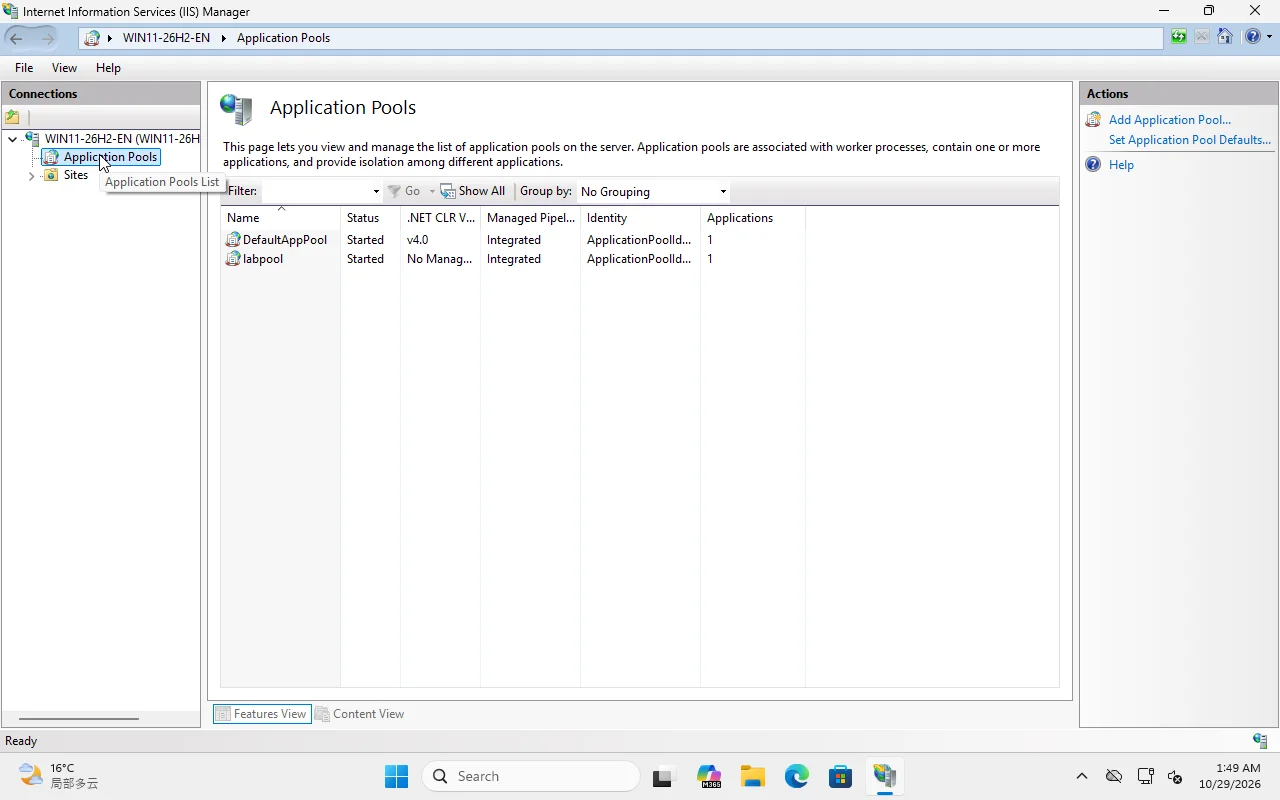
- IIS Manager UI reference: VM 361 Windows 11 26H2; app pool labpool; Server 2025 cmdlets E1
- Page type
- Task
The short answer
Section titled “The short answer”By default, an IIS app pool runs as a virtual account named IIS AppPool\<PoolName> (ApplicationPoolIdentity). You do not create a password; Windows creates the SID when the pool starts.
Grant that identity only what the site needs:
- read/execute on the site root;
- modify on one upload/cache directory if the app writes files;
- nothing on
C:\,C:\Windowsor another site’s folder.
Do not “fix” a 401.3 by adding Everyone or by putting the app pool on a domain admin.
Identity choices
Section titled “Identity choices”| Identity | Use | Risk |
|---|---|---|
| ApplicationPoolIdentity | Default; per-pool virtual account | Low; grant NTFS explicitly |
| NetworkService | Legacy/domain machine account | Broader network identity |
| LocalSystem | Never for a web app | Full local control |
| Custom local user | App needs a fixed profile/ACL | Password/rotation burden |
| gMSA | Domain app, managed password | Requires AD design |
For a standalone server, ApplicationPoolIdentity is the right default.
Create the pool and grant NTFS
Section titled “Create the pool and grant NTFS”Import-Module WebAdministrationNew-WebAppPool -Name 'labpool'Set-ItemProperty IIS:\AppPools\labpool -Name managedRuntimeVersion -Value ''Grant read/execute:
icacls C:\inetpub\lab /grant "IIS AppPool\labpool:(OI)(CI)RX"Grant write only where needed:
New-Item -ItemType Directory -Force C:\inetpub\lab\uploads | Out-Nullicacls C:\inetpub\lab\uploads /grant "IIS AppPool\labpool:(OI)(CI)M"(OI)(CI) applies to files and folders; RX is read/execute; M is modify. Do not grant F (full) unless the app genuinely needs to change ACLs/ownership.
Verify
Section titled “Verify”Get-IISAppPool | Select-Object Name, State, ProcessModelicacls C:\inetpub\labInvoke-WebRequest http://localhost:8080/ -UseBasicParsing | Select-Object StatusCodeIf you get 401.3, the identity cannot read the file. Check the effective ACL, not just the folder’s Sharing tab. If you get 500.19, it is a configuration/permissions error, often a parent web.config or a missing module.
App-pool settings that matter
Section titled “App-pool settings that matter”| Setting | Default | When to change |
|---|---|---|
| .NET CLR version | v4.0 | Set No Managed Code for static/Node/Python |
| Managed pipeline | Integrated | Classic only for legacy apps |
| Start mode | OnDemand | AlwaysRunning for latency-sensitive apps |
| Idle timeout | 20 min | Disable only if the app must stay warm |
| Regular time interval | 1740 min | Recycle off-peak; watch memory |
| 32-bit applications | False | True only for 32-bit DLLs |
| Load user profile | False | True for apps that need a profile (e.g. some crypto) |
Do not disable recycling globally to “fix” a memory leak. Find the leak or schedule a recycle.
Common mistakes
Section titled “Common mistakes”- Granting
Everyoneread on the whole site because one subfolder failed. - Giving the app pool write access to the site root “for uploads”; point uploads at one directory.
- Running the pool as a domain admin to reach a UNC share.
- Using
LocalSystembecause a vendor installer said so. - Forgetting that a virtual directory uses the parent app’s pool, not its own.
Lab note
Section titled “Lab note”The screenshot is from Windows 11 26H2; labpool was created for C:\inetpub\lab on port 8080. Server 2025 uses the same WebAdministration object model, but role installation remains E1.